MYSTIKTV FR Download

Your playlists,
finally worthy
of your screen.

MystikTV is a sleek, fast media player designed for your living room screen as much as your pocket. Add your M3U or Xtream Codes playlists and they become a real library.

  • TV guide
  • Profiles
  • Continue watching
  • Cast
  • Offline
Get it on Google Play
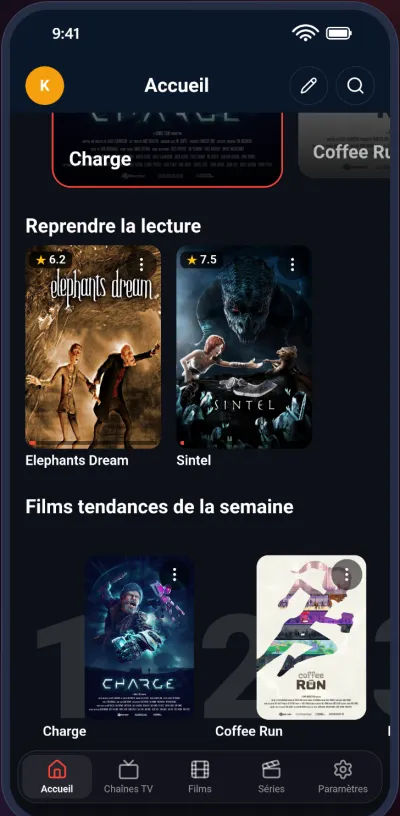
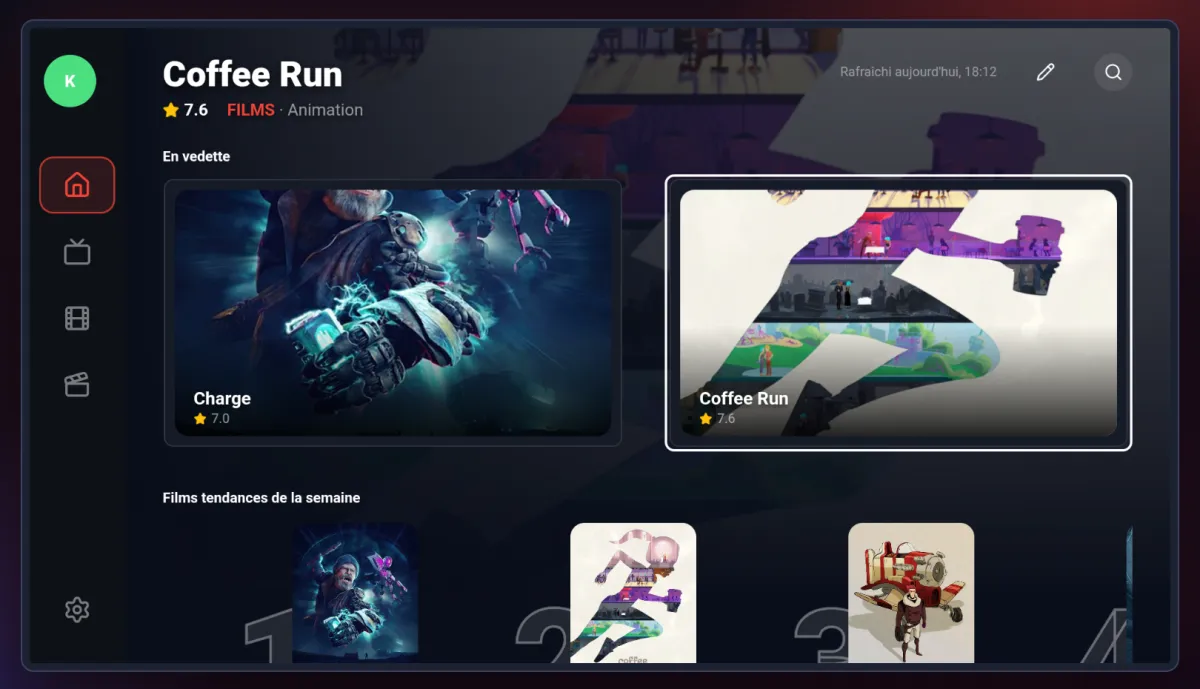
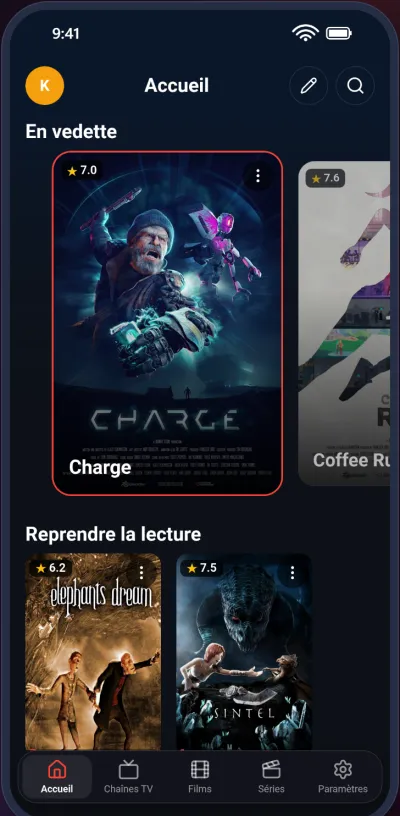
MystikTV home screen on Android TV: featured movies and weekly trending MystikTV home screen on a phone

MystikTV does not provide, sell or recommend any content. It is a player: only add sources you are legally entitled to use.

Features

Your playlists deserve better than a plain list

Posters, summaries, ratings, trending and recommendations: MystikTV showcases what you already watch.

Library

A library with style

  • Streaming-style home: featured titles, themed rows, weekly trending rankings
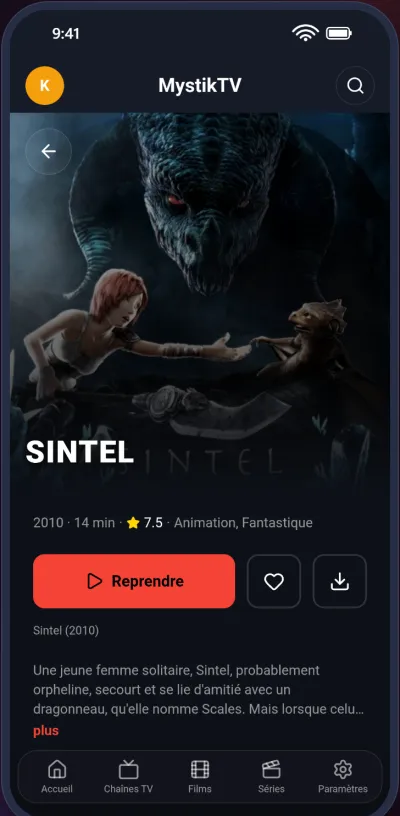
  • Detailed pages: synopsis, cast, genres, audience rating, similar titles
  • Automatic artwork for movies and series, even when your playlist has none
  • Instant global search, even offline
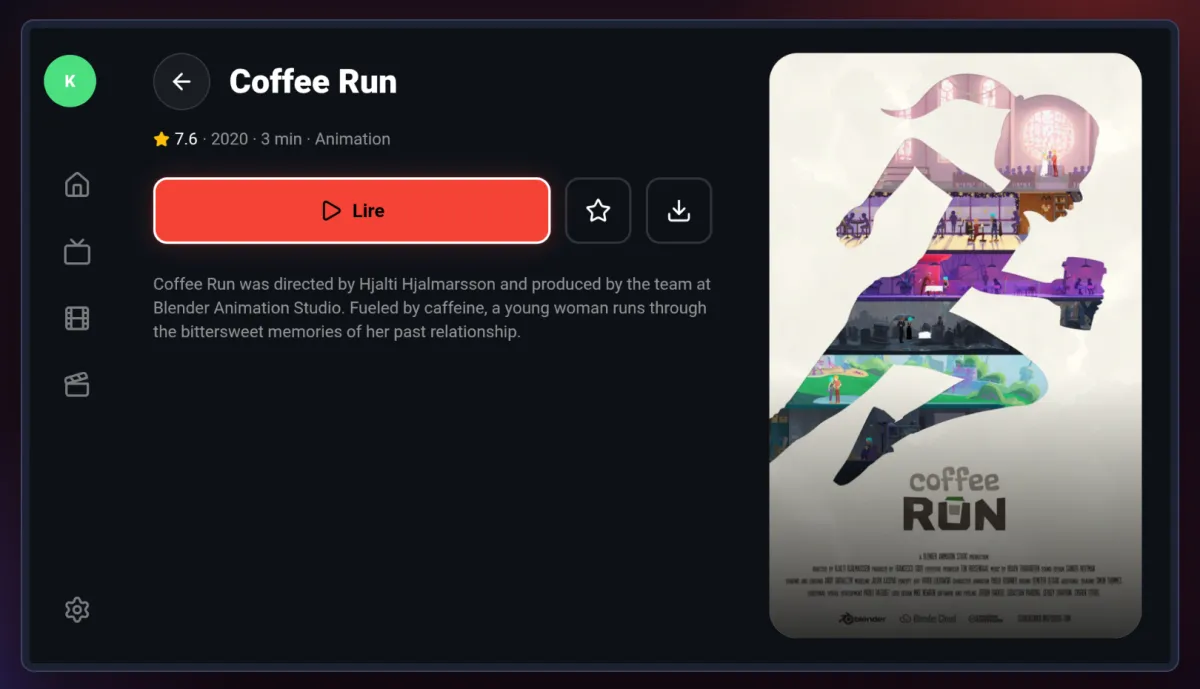
Movie detail page: summary, rating and similar titles
Live

Live, effortlessly

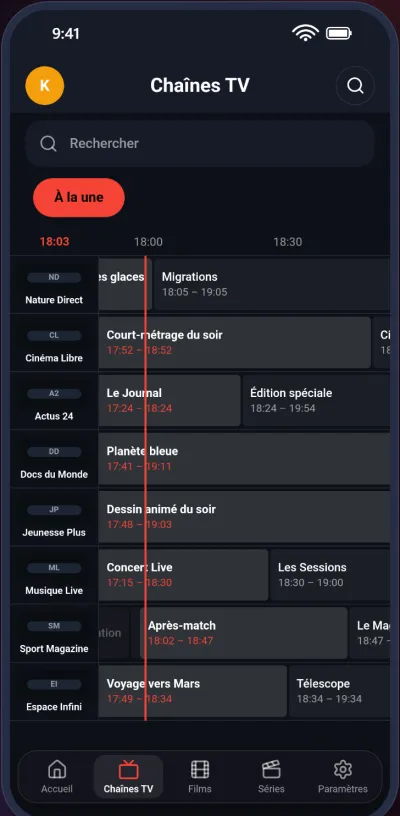
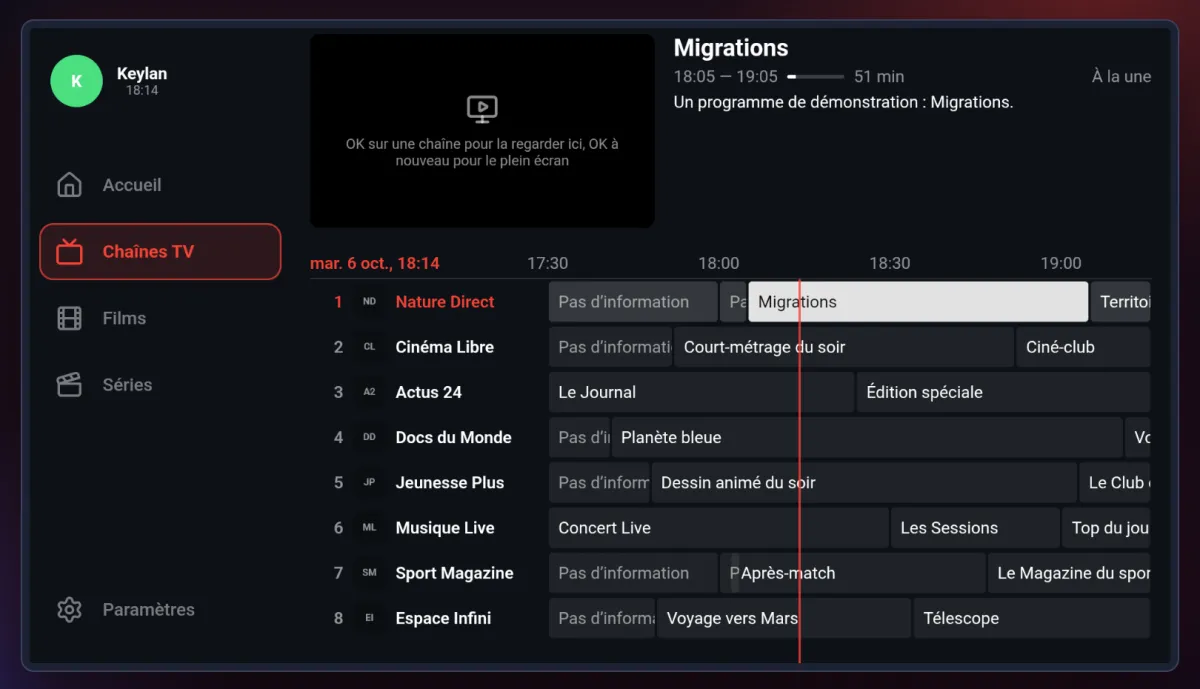
  • Program guide (EPG) grid, for touch and remote control
  • Zapping bar: switch streams without leaving the picture
  • Auto-reconnect when a stream drops
  • Adjustable live buffer (10, 20 or 30 seconds)
Program guide grid on a phone
Continue watching

Pick up where you left off

  • "Continue watching" gathers movies and episodes in progress
  • Series: the next episode is one tap away
  • Mark as watched, add to your list, browse your history
  • Optional sync with your Trakt account
Continue watching row with movies in progress
Family

For the whole family

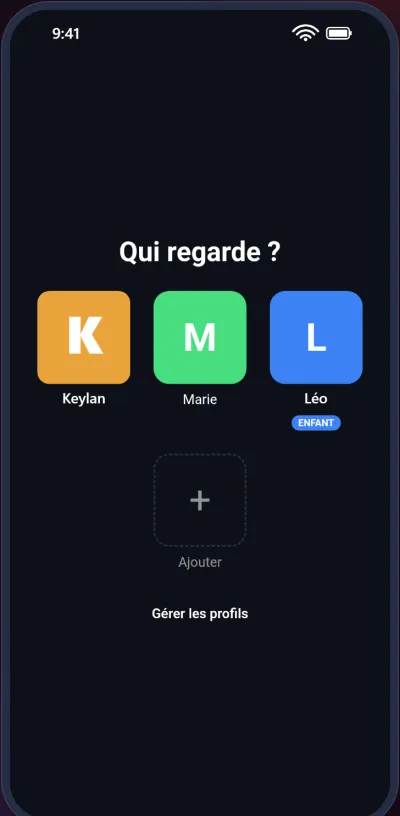
  • Multiple profiles, each with its own list, history and settings
  • PIN parental control and lockable categories
  • Adult content hidden by default
  • Interface in English, French, Spanish and German
Who's watching screen with three profiles
Everywhere

Phone, tablet, Android TV

  • One app, tuned for every screen
  • Full remote control navigation on Android TV, Google TV and Fire TV
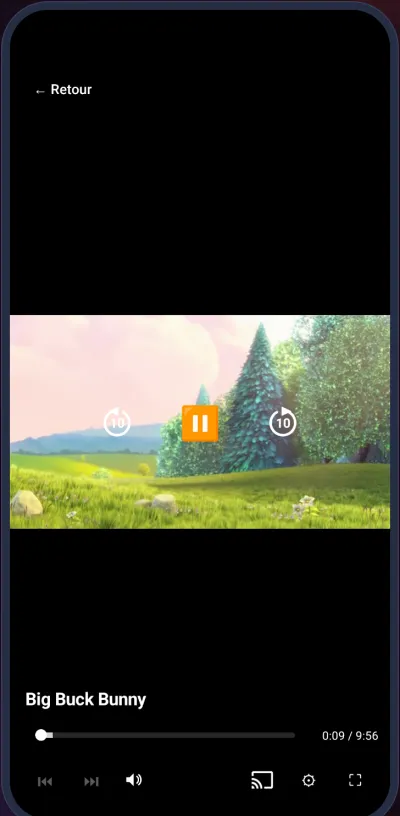
  • Cast to your TV with Chromecast
  • Downloads for offline viewing, including to USB or SD card
  • Robust player: H.264, HEVC, AV1, Dolby Digital, E-AC-3, DTS…
Video player with the Cast button
How it works

Ready in three steps

1

Install MystikTV

On your Android phone, tablet or TV, from Google Play.

2

Add your playlist

An M3U / M3U8 URL or your Xtream Codes credentials, from your own source.

3

Enjoy

MystikTV organizes everything, adds posters and summaries, and remembers where you are.

Android TV

Built for the big screen

The whole interface works with a remote: home, guide, movies, series and detail pages.

Program guide on Android TV
The program guide, with your remote
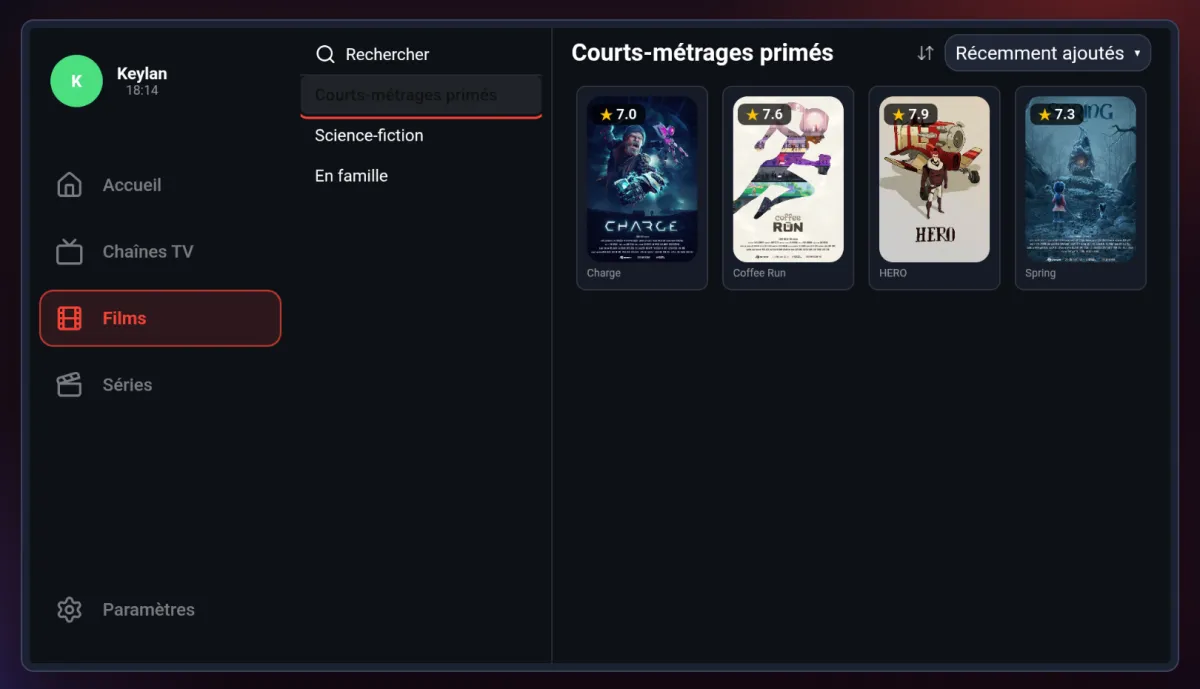
Movie catalog on Android TV
Everything one OK press away
Movie detail page on Android TV
Summary, rating, play in one click
Plans

Free, or Premium to go further

One account works on all your devices.

Free

Free version

  • Watch your playlists with no time limit
  • Program guide, continue watching, search
  • A short message about Premium, with a 15-second countdown, plays before playback (at most every 15 minutes)
Premium

MystikTV Premium

  • Playback with no wait
  • Multiple profiles and unlimited playlists
  • Multi-screen (several streams at once)
  • Offline downloads
  • Cast to a TV (Chromecast, Google TV)
  • Trakt sync
  • Automatic playlist updates
  • One Premium account valid on up to 5 devices

Monthly, yearly or one-time purchase, from within the app.

FAQ

Frequently asked questions

Does MystikTV provide channels or movies?

No. MystikTV is only a player: it does not provide, sell or recommend any content. You add your own playlists, from sources you are legally entitled to use.

Which playlist formats are supported?

M3U / M3U8 playlists (URL or file) and Xtream Codes credentials. The program guide (EPG) is fetched automatically when your source provides one.

Which devices does MystikTV run on?

Android phones and tablets, plus Android TV, Google TV and Fire TV, with full remote control navigation.

Where is my data stored?

Your catalog is stored on your device, not on our servers. No ads, no advertising trackers. Details are in our privacy policy (in French).

Do I need a Trakt account?

No, it is optional. If you have one, MystikTV can sync your history and watchlist with it.

How do I delete my account?

From the app settings, or by following the account deletion procedure (in French).

Give your playlists the screen they deserve

Phone, tablet and Android TV.

Get it on Google Play